
Full Vehicle Driving Simulation Package System
UC-win/Road Driving Simulator
Initial Release:2007.04.20
- Driving Simulation Plugin
- USD3,360
Related Products
UC-win/Road Safe Driving Simulator
Experience Simulator
Motion Platform Plugin Option
Micro Simulation Player Plugin
ECO Drive Plugin
Program Overview
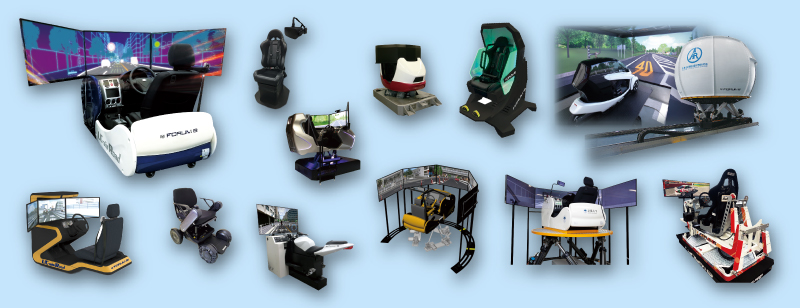
Our products allow you to create several driving scenarios and re-create it with complete control. Recently FORUM8's Drive Simulators have been widely used for vehicle system development and ITS traffic research regarding drivers, vehicles, and road design
Related Information
- ◆User Introduction>> User Introduction Index
- National Agency for Automobile and Land transport Technology (Up&Coming '22 Spring issue)
- National Institute for Land and Infrastructure Management (NILIM) (Up&Coming '21 Fall issue)
- Graduate School of Human Sciences, Osaka University (Up&Coming '20 Fall issue)
- Mitsubishi Estate Parks Co., Ltd. (Up&Coming '20 Spring issue)
- ◆New Product Information
- UC-win/Road Motorcycle Simulator Option (Up&Coming '21 Fall issue)
- UC-win/Road Wheelchair Simulator (Up&Coming '21 Spring issue)
Functions and Features
Features of UC-win/Road Driving Simulator
-
- Driving environment in 3D which can be freely created via UC-win/Road.
- Standard plug-ins included
- Standard VR data is free and scenario customization is supported.
- Various environments can be reproduced via visual option tools.
- Reasonable pricing mass OEM production
- Supports high calibre simulation needs through adaptable customization
Packaging System
-
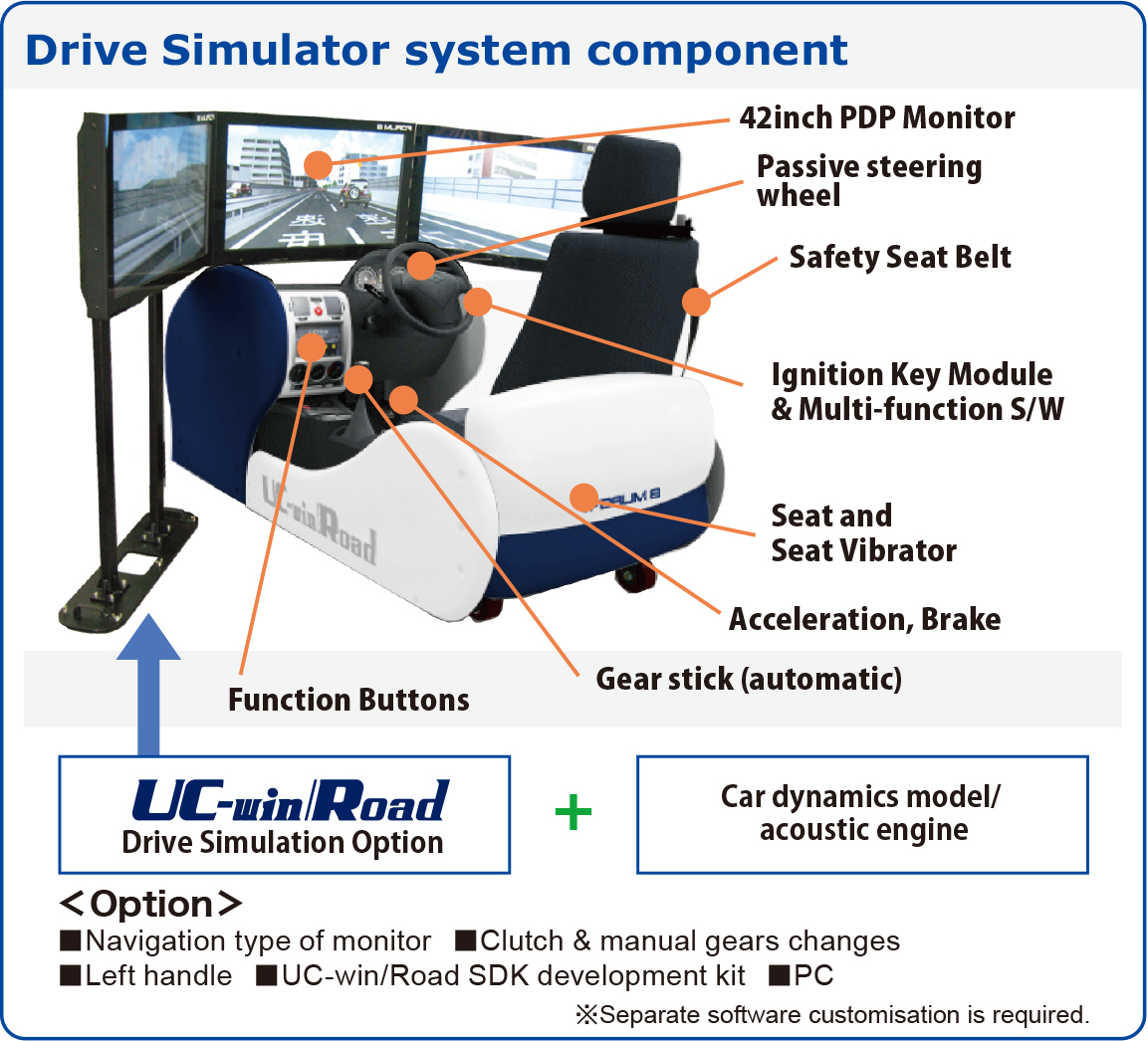
Standard system includes UC-win/Road and a Drive Simulator. Navigation monitors and a motion platform can be added as a option.
- Configuration of Driving Simulator System ▶System Price List
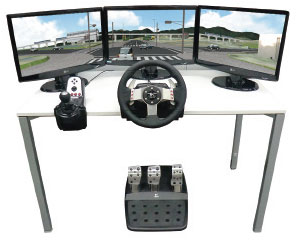
- UC-win/Road Simple Simulator ▶System Price List
Basic configuration : 3 of 17" LCD monitors / 1 of PC (3 screens supported) / Steering controller for game / Seat for game
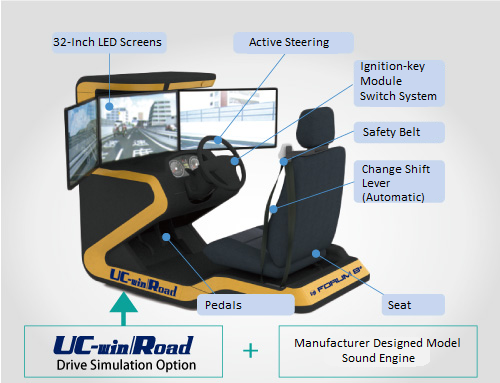
- Configuration of Compact Driving Simulator ▶System Price List
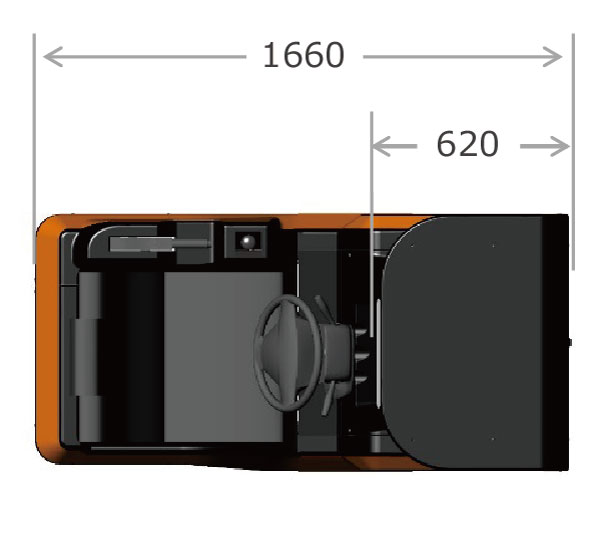
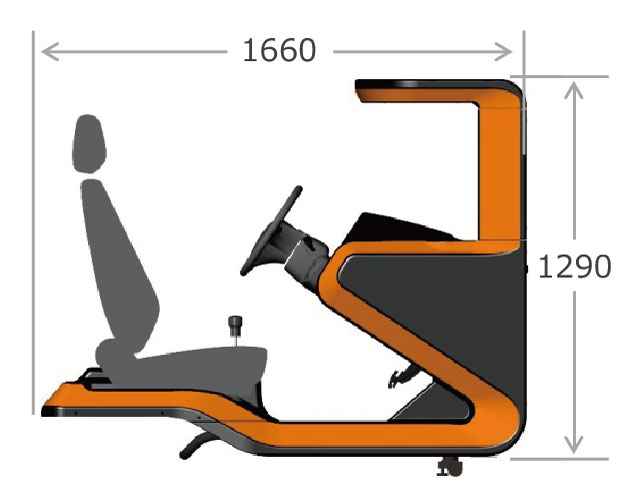
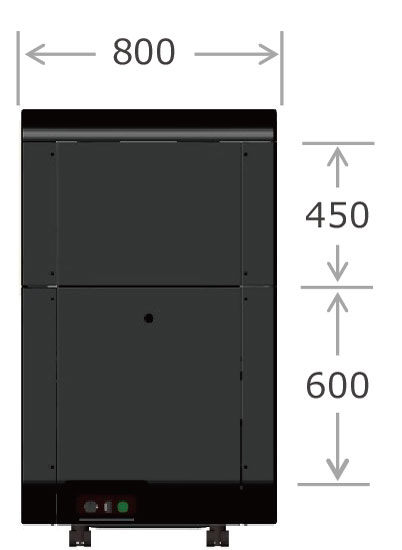
- BlueTiger Flight Simulator, Racing Simulator ▶System Price List
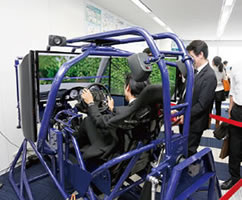
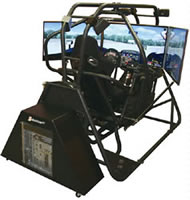
An APEX GTC 3DOF motion simulator that can perform immersive driving simulation in a high-quality 3D VR space in cooperation with UC-win/Road.
Use of Driving Simulator
-
- Use of Driving Simulator
- Research and Development --> universities, R&D institutions/groups,associations
- Road design --> road companies, construction consultants, construction companies
- Exhibition & Publication -> Pavilion for publication, The system for events, Road facilities
- traffic safety --> police, driving schools, various associations or groups, non-life insurance companies
- VR data, Scenario Creating Service
- UC-win/Road Customization/SDK
Software Development Kit (SDK) supports your re-distribution of system and free utilization. >> UC-win/Road SDK- Provide large-scale and high-precision 3D space
Dept. of Information Engineering, Faculty of Science and Technology, Meijo University "Driving Ability Judgment System"
Features of Driving Simulator
-
- ■Standard
I/O Data Simulator
↓
UC-win/RoadAccelerator pedal Brake pedal Steering wheel Handbrake KEY_ACC KEY_ON 5 assigned buttons Lighting-up of the brake light Seat belt Transmission (Automatic) Panel light High / Low beam Direction indicator UC-win/Road
↓
SimulatorEngine speed (RPM) Vehicle speed - ■Custom System
I/O Data Simulator
↓
UC-win/RoadHorn Clutch Transmission (Manual) O/D_OFF button
Unsupported for SimulatorWipers UC-win/Road
↓
SimulatorEngine temperature Fuel Engine warning light Airbag warning light Oil-pressure warning light Battery warning light Fuel warning light Rear door warning light Door warning light
About Display Performance
- Maintains quality frame rates to prevent sickness or inaccuracies
- A FPS (frame per second) measuring result by 3ch, 42' monitor
- Straight road + traffic flow Frame rate124.5 FPS
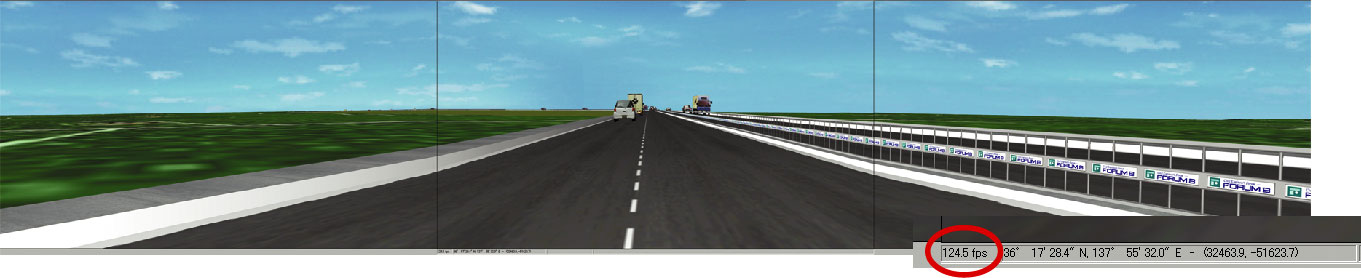
- Intersection + landscape + traffic flow Frame rate 125.7 FPS

- Cross-point + landscape + traffic flow No.2 Frame rate 110.4 FPS

- Cross-point + landscape (high accuracy) + traffic flow Video board setting = 3 screen vertical sync. Frame rate 60.3 FPS
*Refresh frequency of screen will be peak.
UC-win/Road Plugin (UC-win/Road Driving Sim standard)
Related product/system
- ◆UC-win/Road
- UC-win/Road
- ◆UC-win/Road Plugin (UC-win/Road Driving Sim standard)
- ◆Driving Simulator related systems
-
UC-win/Road Highway Driving SimulatorUC-win/Road Driving Simulator for SeniorsUC-win/Road Bicycle SimulatorUC-win/Road Train Simulator3D Stereo Driving Simulator

-
UC-win/Road Real-time VR (Virtual Reality) creation software that enables the creation of large-scale 3D spaces for all sorts of projects by PC operations and with which you can give variety of presentations. It can be used as an ideal software in a flexible development environment and for advanced system development.
International Version Japanese / English / Chinese / Korean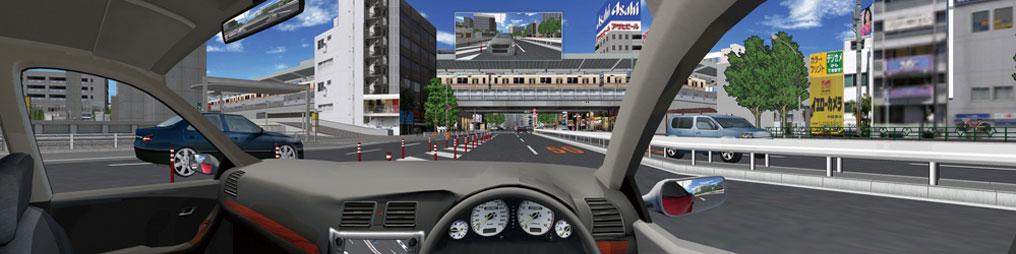
Driving Simulation Plugin
-
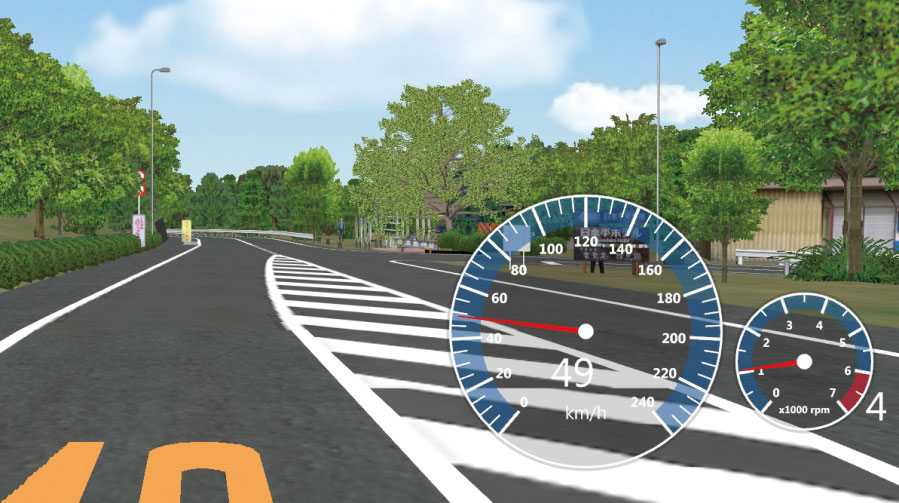
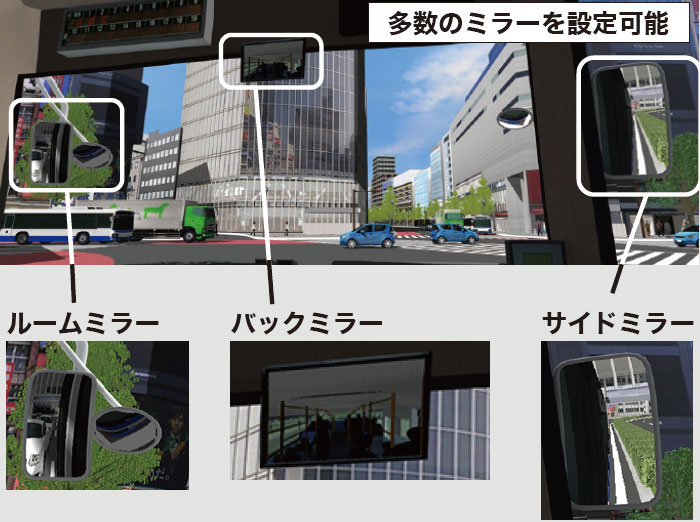
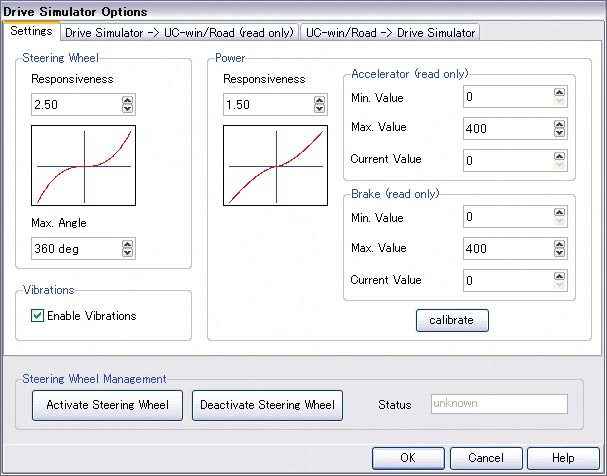
With UC-win/Road and real car driving simulator with OEM-supplied, the driving simulation is much more realistic. Compared with a conventional driving simulator, a great improvement of the cost-performance can be achieved. Moreover, the biggest feature is that the user can freely use existing data or create a scenario specific to their requirements.
-
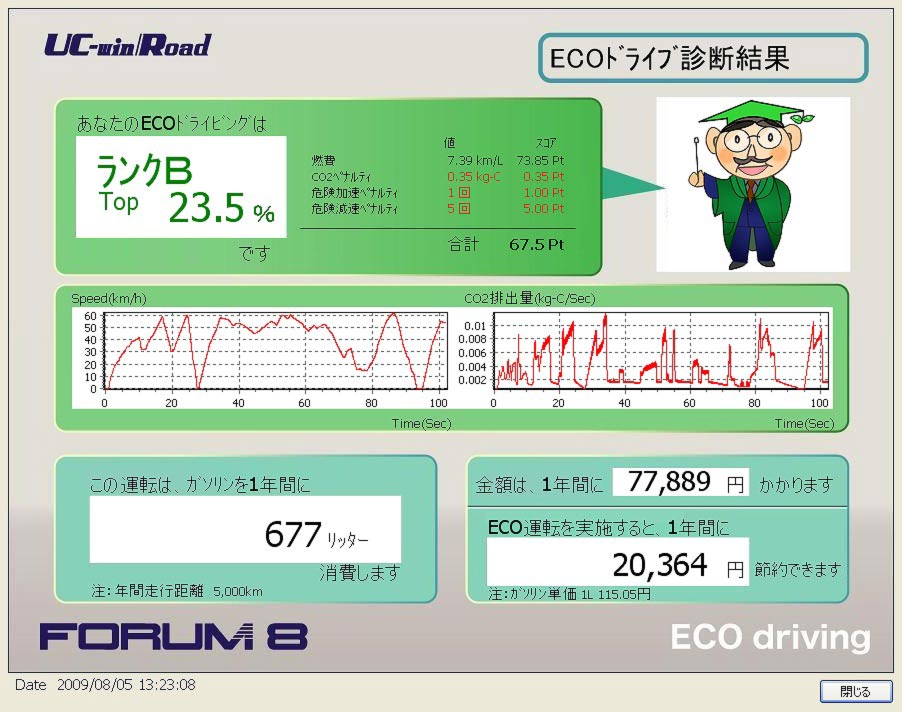
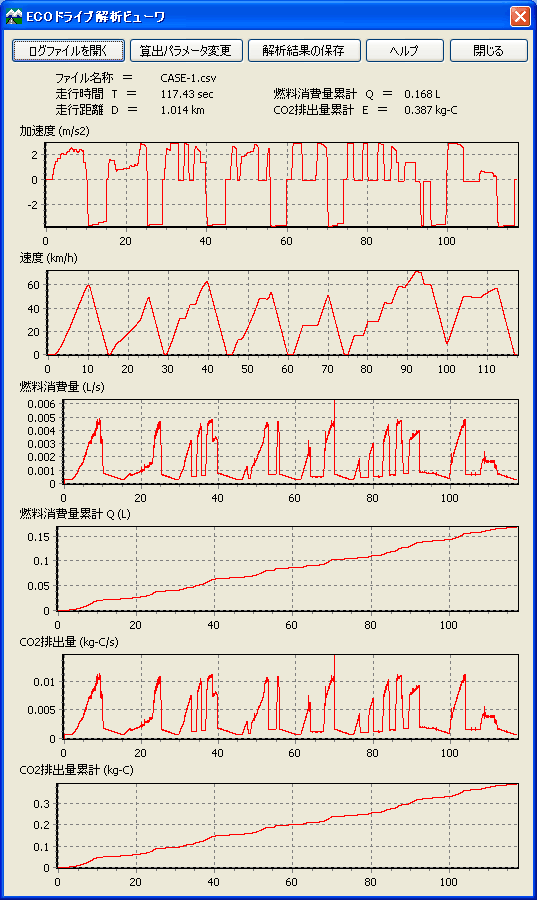
ECO Drive Plugin is a new software module that calculates the fuel consumption and carbon footprint of individual vehicles whilst driving through a 3D VR model and graphs the results by means of UC-win/Road's driving log. Alternatively they can "Calculate the carbon footprint". The various parameters within the Eco-Drive evaluation formula are all capable of being altered by the user. All Eco-Drive data is automatically read within the Drive Log data file so that calculations can be re-created.
-
A plug-in that records and replays the movement of vehicles and pedestrian models on UC-win/Road.
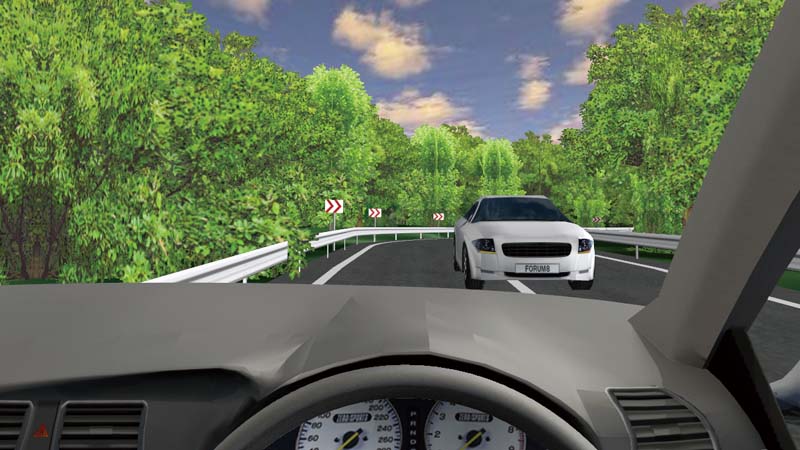

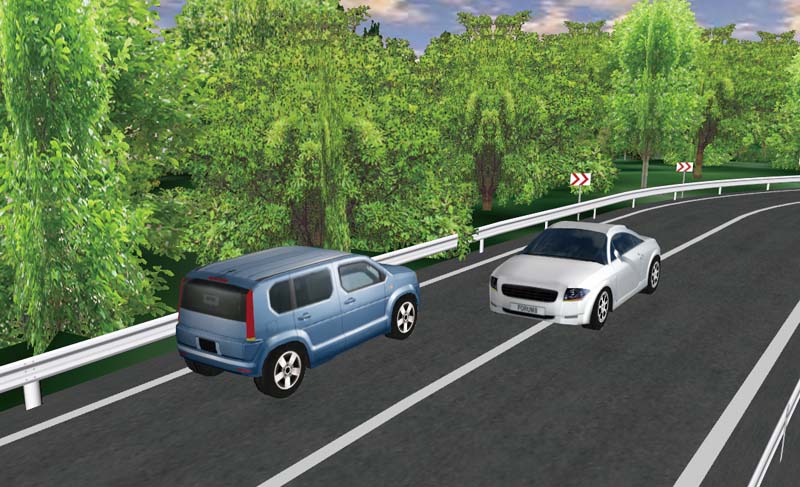
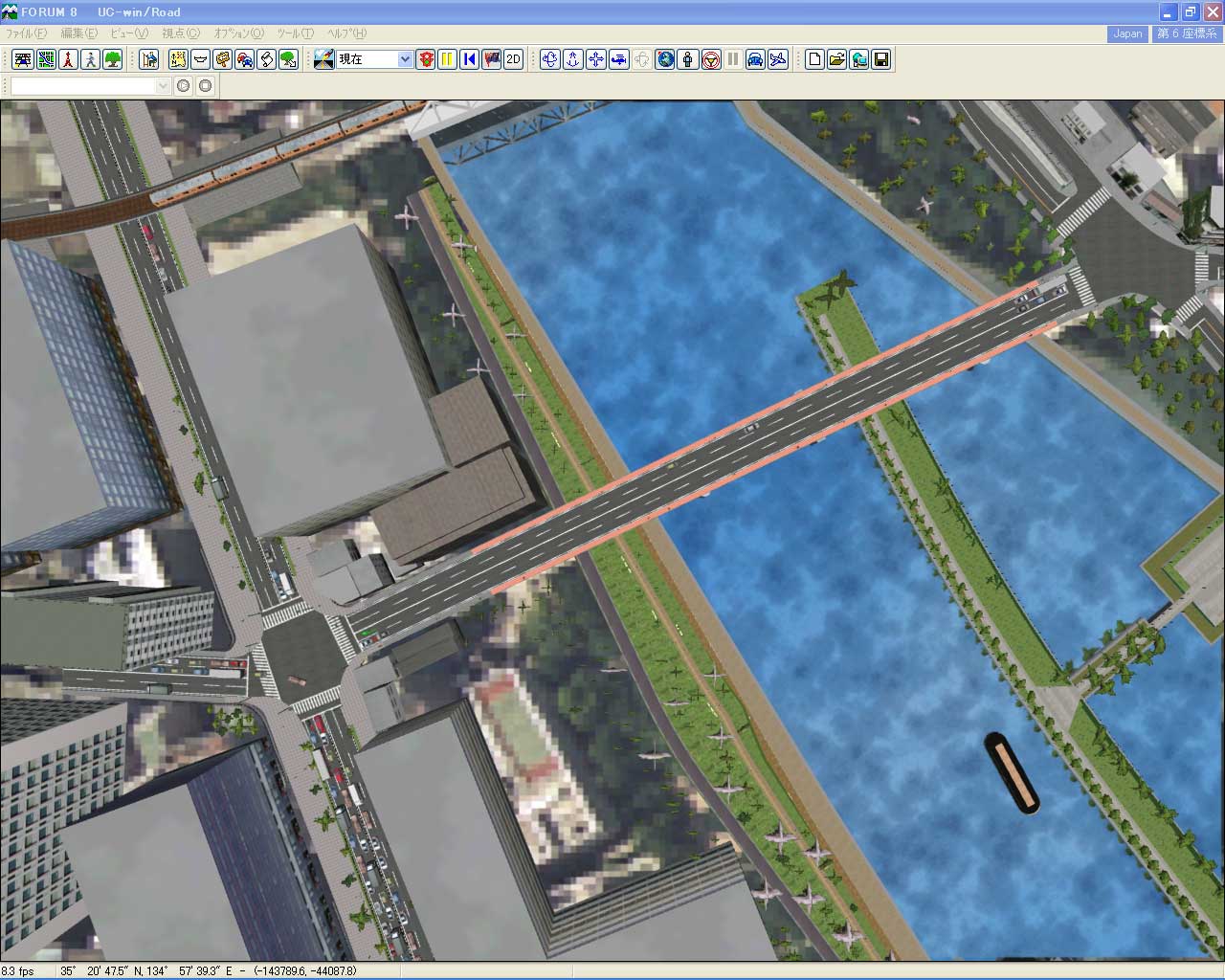
▲Check the accident during driving simulation from outside the vehicle
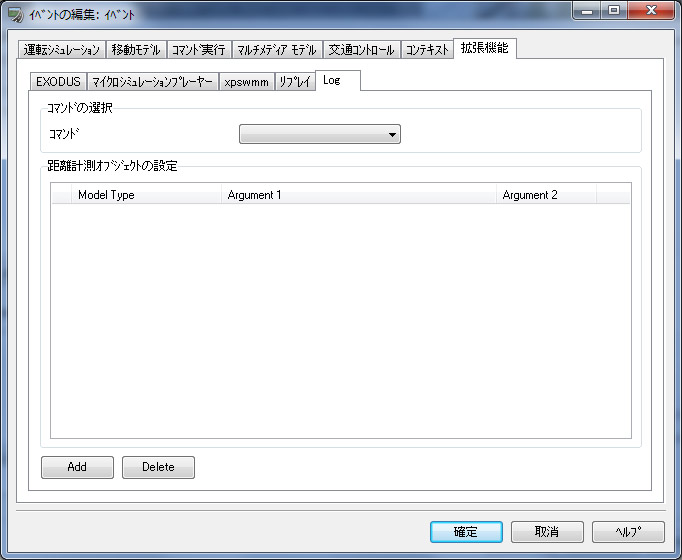
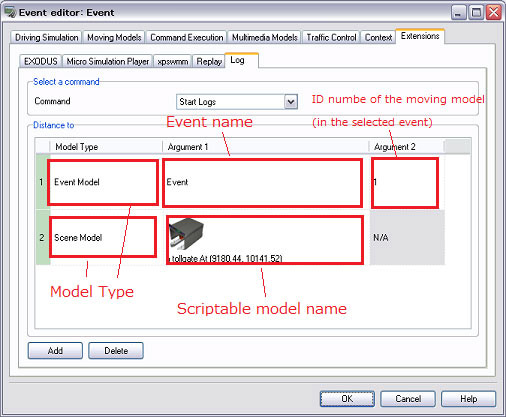
- It outputs various information logs such as the coordinates and direction of the driving vehicle, speed, steering angle. Supports output of traffic flow and characters. Also supports real-time UDP output via the network.
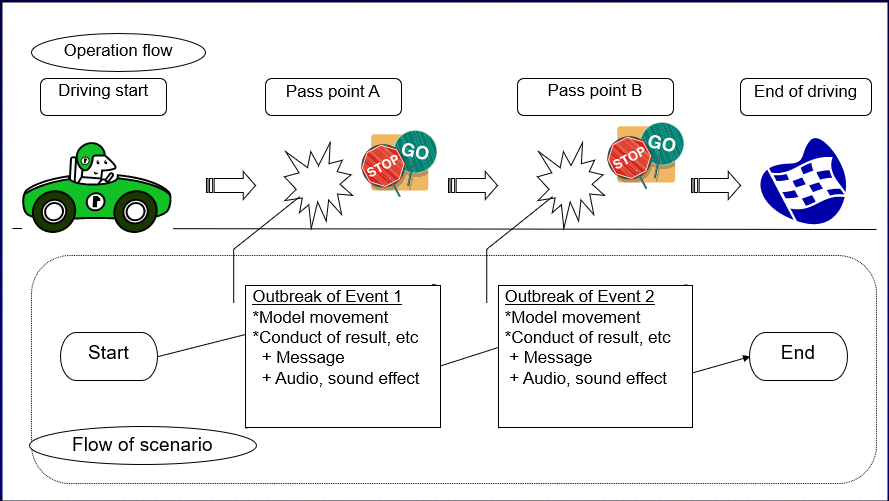
- Various predetermined movements can be set in the simulation environment. You can set up different situations for when the car reaches a certain position, a model can run through a given role. This adds to the realism of the driving simulator by providing various scenes such as "changing traffic lights", "cars pulling into the intersection", "traffic jams", "pedestrian interactions", etc.
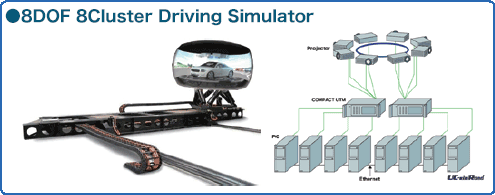
- UC-win/Road Cluster allows more than 4 channel display per PC and can synchronize two or more PCs and output the image to a lot of monitors. It can be used for a simulator using a 360-degree domed screen and 6K digital signage.
- Main Features
- Easy set up and operation
- Flexible system with no limitations to the number and configuration of clustered PCs
- No function limit : There is no limit to the applicable functions of UC-win/Road.
- Performance improved : The use of cluster system improves the performance better than using 1 PC.
- A variety of simulations are possible in this multipurpose system which has all elements synchronized
-
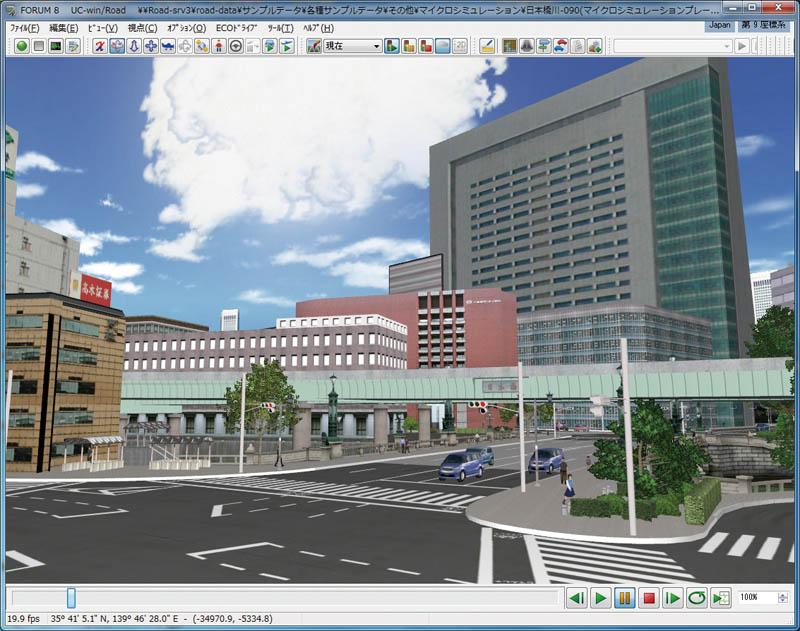
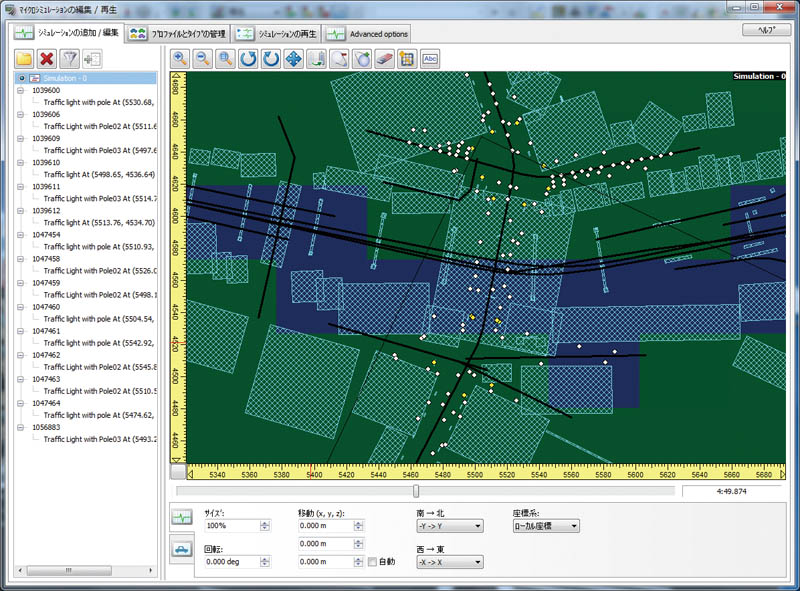
Micro Simulation Player is the function to run various types of simulation animation which is depicted as 3D model movement. It is capable to record and play a traffic flow as a result of UC-win/Road and other traffic simulation.
- Main Features
- 3D animation function : It's possible to create various type of 3D model's animation based on the information of model's location. It enables to run several data at the same time.
- Snap function for vehicle and pedestrians : It's capable to locate objects such as vehicle and pedestrian on the road and the lane, the pedestrian, the ground.
- Controlling the existing objects : It's possible to control static objects such as traffic light.
- Controlling drawing objects : Time, Weather, Light etc.
- Optimal integration with the functions of UC-win/Road : Traffic, script, camera mode
- <User case study>
- UC-win/Road Micro Simulation Player for Legion ('10.05.17)
-
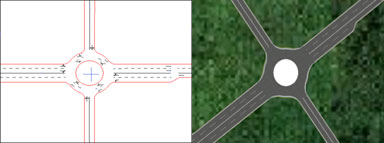
Virtual reality (VR) of UC-win/Road allows you to easily study the landscape, road design and traffic and also to check the road situation from the point of view of the driver via a driving simulator. In case of running the advanced traffic simulation, this plug-in would be very helpful.
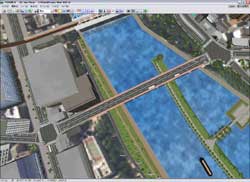
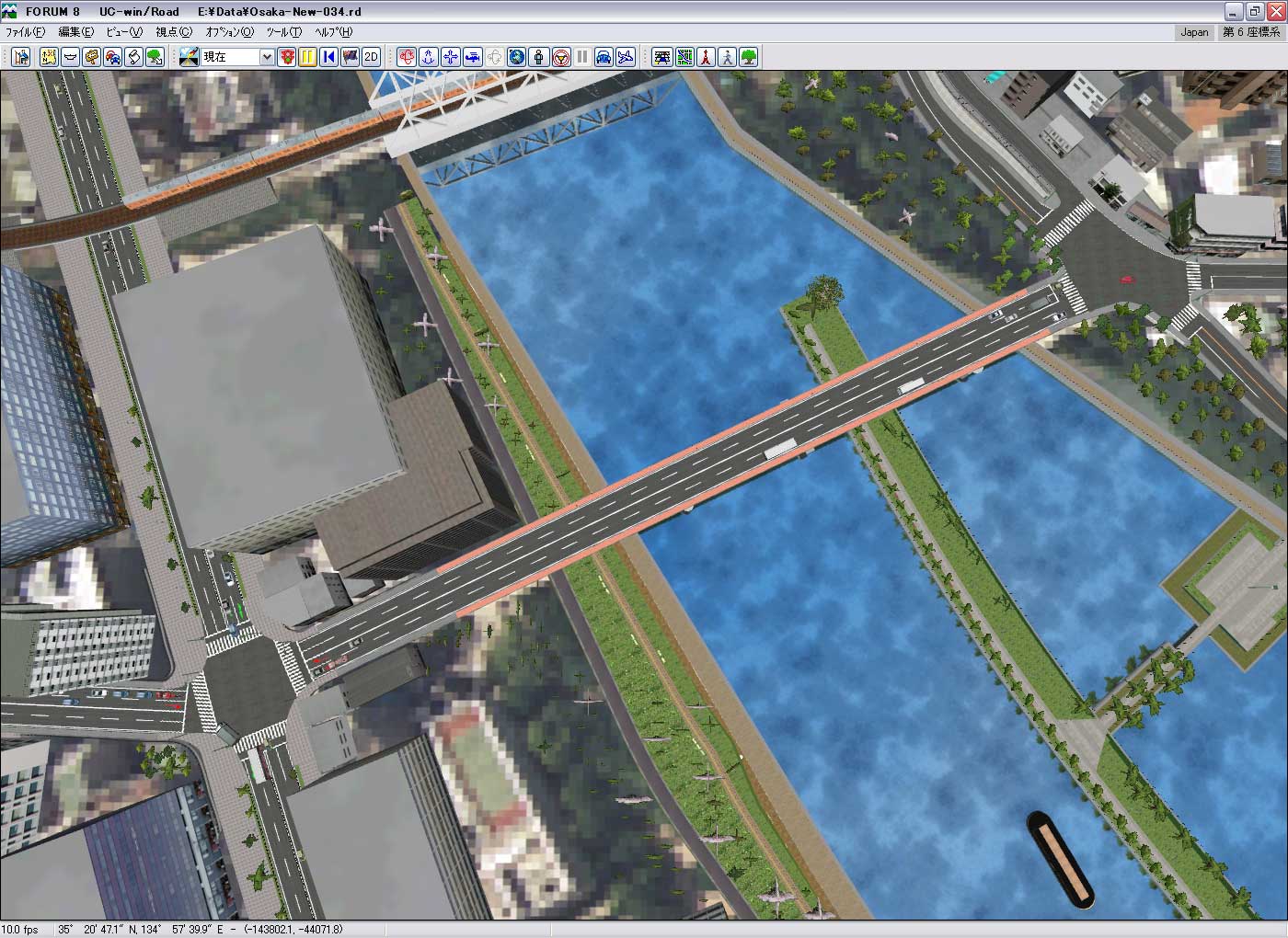
- This Plug-in allows communication with multi users by the use of UC-win/Road. Users can send chatting comment and surrounding information in UC-win/Road such as view position, direction and time through the Internet. These feature enables you to support joint designing and consensus building. In addition, it allows for network-based driving simulation.
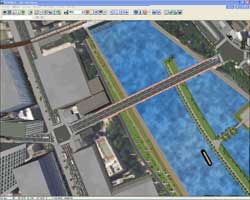
User A
Explains the work by looking drawings and documentsUser B
- Main Features
- You can show your partner the same view that you are looking at.
- It becomes easier with the displayed model to explain to the person who is not familiar with the data.
-
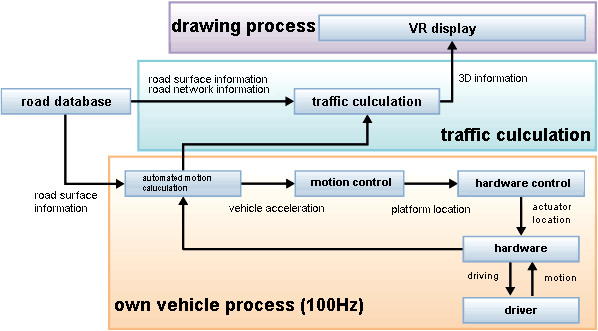
An optional driving simulation feature that links the software to the OEM motion platform hardware of INNOSIMULATION, Inc. (UC-win/Road Customize Option)
Price
Product Price
-
■Product Price
Click here for the price of UC-win/RoadProduct Price Configuration UC-win/Road Ultimate USD19,200 UC-win/Road
+
including all pluginsUC-win/Road Driving Sim USD12,800 UC-win/Road
+
UC-win/Road Driving Simulation Plugin
and other pluginsUC-win/Road Driving Simulator Plugin USD3,360 Plugin only ■Price of Driving Simulator System (Packaging system)
Specifications Order quantity 1 Driving simulator 10 Driving simulator 20 Driving simulator UC-win/Road-Drive Simulator
Basic configuration
・1/4 Cabin, Full Instrumentation
・3ch. 42” PDP monitor
・5.1ch Speaker, Body Sound
・CFLS Controller
・Active Steering WheelUSD61,000 USD54,910 USD45,820 UC-win/Road Driving Sim USD11,000 USD9,370 USD7,640 Total USD72,000/1 DS USD64,280/1 DS USD53,460/1 DS * Option Item 1 Driving simulator 10 Driving simulator 20 Driving simulator Navigator type Monitor USD410 USD350 USD300 2DOF Motion Platform (500Kg) Packed USD60,000 - - 3DOF Motion Platform (500Kg) Packed USD72,000 - - Left-hand drive, Clutch pedal (each software) USD1,000 USD700 USD500 *A shipping cost is not included. FOB : Tokyo, Japan
* UC-win/Road SDK Separately sold at USD3,300■Rental fees for Driving Simulator (Packaging system)
Specifications Rental terms 1 day 1 month 1 year UC-win/Road-Drive Simulator
Basic components:
・1/4 Cabin, Full Instrumentation
・3ch. 42” PDP monitor
・5.1ch Speaker, Body Sound
・CFLS Controller
UC-win/Road Driving SimBasic fee
USD2,500
Additional fee
(for 1 day)
USD1,000Basic fee
USD9,090
Additional fee
(for 1 month)
USD3,640Basic fee
USD20,910
Additional fee
(for 1 year)
USD13,640UC-win/Road Demonstration Simulator
Demonstration Simulator Main Body Price
USD10,000
UC-win/Road Advanced
USD9,700 Rental termsBasic fee
USD700
Additional fee
(for 1 day)
USD270Basic fee
USD2,730Basic fee
USD6,370Setting and Shipping fees: Please contact the sales representatives ■Rental fees for UC-win/Road Experience Driving Simulator (6 axis motion 3Ch) (Packaging system)
Specifications Rental terms 1 day 1 month 1 year UC-win/Road-Experience Driving Simulator
Basic components:
・Eggshell cabin, 2C coloring
・6DOF Motion platform
・3ch. 32” LCD monitor
・5.1ch Speaker, Body Sound
・Force feedback steering wheel
・Accelerator/brake pedal system
・Direction indicator, mission option
UC-win/Road Driving Sim
Motion platform optionBasic fee
USD4,190
Additional fee
(for 1 day)
USD1,640Basic fee
USD15,280
Additional fee
(for 1 month)
USD7,280Basic fee
USD38,190
Additional fee
(for 1 year)
USD34,550Setting and Shipping fees: Please contact the sales representatives ■Rental fees for UC-win/Road-Simple Drive Simulator
Specifications Rental terms 1 day 1 month 1 year UC-win/Road Simple Simulator(General)
Basic components
・3 of 17”LCD monitors
・PC(3 screen output is applied.)
・Game steering controller
・Game seat
UC-win/Road USD9,700
+Drive Simulator plug-in USD3,360
+ECO Drive plug-in USD3,360
USD16,420 Rental PriceBasic fee
USD1,000
Additional fee
(for 1 day)
USD400
Basic fee
USD4,000
Basic fee
USD9,000
UC-win/Road Simple Simulator(Academy)
Basic components
・3 of 17”LCD monitors
・PC (3 screen output is applied.)
・Game steering controller
・Game seat
UC-win/Road Academy USD7,760
+Drive Simulator plug-in USD2,690
+ECO Drive plug-in USD2,690
USD13,140 Rental PriceBasic fee
USD800
Additional fee
(for 1 day)
USD350
Basic fee
USD3,200
Basic fee
USD7,200
UC-win/Road Simple Simulator(Education)
Basic components
・3 of 17”LCD monitors
・PC (3 screen output is applied.)
・Game steering controller
・Game seat
UC-win/Road Education Version USD540
+Drive Simulator plug-in USD330
+ECO Drive plug-in USD330
USD1,200 Rental PriceBasic fee
USD600
Additional fee
(for 1 day)
USD250
Basic fee
USD2,400
Basic fee
USD5,400
Setting and Shipping fees: Please contact the sales representatives ■Rental fees for Eyemark recorder option
Specifications Rental terms 1 day 1 month 1 year Mobile-shaped eyemark recorder EMR-9
Basic components
・EMR-9
60Hz detection/field lens44°)
・Additional field lens(92°)
・2 batteries
・Battery charger
・Hat LL size
・EMR-dFactory(Analysis software)
・Fanny pack
・Color liquid crystal view finder
・Serial conversion cable
・Notebook PC for analysis software
(with setup software)
・Release switchBasic fee
USD2,500
Additional fee
(for 1 day)
USD1,000
However,
In case of
simultaneously using DS
Basic fee for option
USD1,370
Additional option
(for 1 day)
USD600Basic fee
USD11,637
Additional fee
(for 1 month)
USD4,655
However,
In case of
simultaneously using DS
Basic fee for option
USD6,300
Additional option
(for 1 month)
USD2,520Basic fee
USD23,000
Additional fee
(for 1 year)
USD15,000
However,
In case of
simultaneously using DS
Basic fee for option
USD13,800
Additional option
(for 1 year)
USD9,000
Setting and Shipping fees: Please contact the sales representatives - Research simulator
(including UC-win/Road DS option) - Actual parts for all parts and instruments
- Steering for both side available, Automatic
(Manual Op.) - Active Steering Wheel, MP (1-6 axis option)
(not including UC-win/Road) - 3ch. 32" LCD monitor
(including UC-win/Road DS option) - 6DOF motion platform (350kg)
- 5.1ch Speaker, Body Sound
- Force feed-back steering system (SENSO-Wheel)
- Accelerator/brake pedal system
- Direction indicator, mission option
(not including UC-win/Road) - Steering wheel, accelerator/brake pedal system
(real car parts used) - Steering for both side available, Automatic
(Manual Op.) - Active Steering standard
- LCD instrument panel Op
- (not including UC-win/Road)
- 360 degree rotate motion system
- VR headset
- High-performance PC with Nvidia video card
- (not including UC-win/Road)
- 21.5” LCD monitor
- Kinect™ Sensor
- Real car parts (indicator, wipers, steering wheel)
- Real-vehicle type steering wheel
- Hazard switch (not including UC-win/Road)
- 3ch.40” LCD monitor
- 3DOF motion platform
- High-grade steering controller for game
- Accelerator / brake pedal
(including Load Control Function)
*Options other than the motion configuration can
be supported. (not including UC-win/Road) - 3ch. 32” LCD monitor
- 2DOF motion platform
- Operation interface for flight simulator
- Seat Vibrator (not including UC-win/Road)
*Optional motion platform, custom tailored system
integration development service,
installation service
available at additional cost. - Small demo simulator (not including UC-win/Road)
- Compact type for exhibition/ demonstration,
Start/Stop button - Handle, accelerator, brake installed
■UC-win/Road Driving Simulator lineup
Concept (Release date) H/W Price Product Description 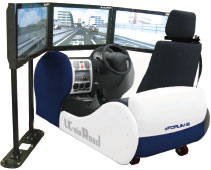
Compact Research Simulator
(2010)USD61,000
(3ch standard)
Driving Simulator
(2013)USD316,400
(3ch standard)
Compact Driving Simulator
(2014)USD36,000
(3ch standard)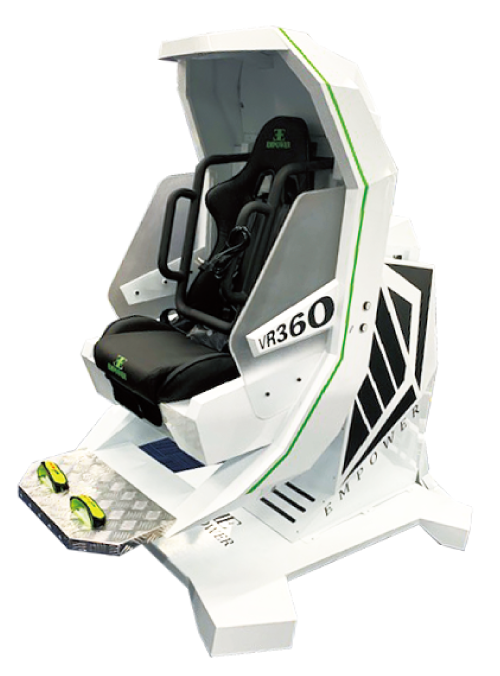
VR360 SimulatorUSD52,000 
Simple Driving Simulator for seniors
(2014)USD14,500
(1ch standard)
SimCraft Simulator
(2014)USD85,000
(3ch standard)
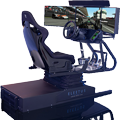
Flight Simulator Racing Simulator
BlueTiger (2014)USD70,000
(3ch standard)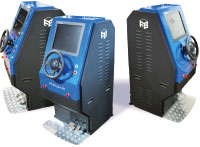
Demo Simulator (2007)
USD12,800
(1ch standard)Price of Subscription Service Contract
-
■Support information
-Software upgrade -Technical inquiry (Email, Tel)
-Download service -Maintenance and update notifications via email
* We are sequentially making a transition from the maintenance-support service to [Subscription Service] from April 1, 2016 in order to enhance support for diverse product usage and to reduce license management cost.
Product Subscription cost
of first yearSubscription cost
of subsequent years
(annual cost)Driving Simulation Plugin Subscription Free USD1,680 Driving Simulation Plugin Subscription Floating USD2,352 Rental license / Rental floating license
-
■Rental License
Product 2 month 3 month 6 month Driving Simulation Plugin USD1,512 USD1,780 USD2,184 ■Rental Floating License
Product 2 month 3 month 6 month Driving Simulation Plugin USD2,520 USD2,990 USD3,696 Order / Contact Us
Order / Contact Us
-
Inquiries about UC-win/Road: road@forum8.co.jp
Order
Contact us from Sales inquiry or email to ist@forum8.co.jp


LOADING
■SENSO-Wheel SD-LC Price
Specification Price SENSO-Wheel SD-LC USD15,000 Option Basic Stand USD1,200 Tabletop Rack (instead of Basic Stand) USD3,100 USB-CAN Interface USD600 "Steering Wheel Standard (Ø365mm) withflange" USD460 Price of Subscription Service Contract
Price of Rental License / Floating License
■Rental license : Short term licenses available at a low price
■Rental floating license : After web activation, anyone can use the products on any PC anywhere in the world.
■Rental access : You can increase the number of licenses you own and use these additional licenses for a specific period of time (1 month to 3 month) at your discretion. We will later send you an invoice based on your usage log. The advance application is 15% off of the regular rental license price. Please place an order from User information page.
*Rental / Floating Licenses were introduced on September 2007 to enhance user experience and convenience of our products.
*Duration of Rental / Floating Licenses cannot be changed after starting these services. Re-application is required to extend the rental and floating license duration.
- Research simulator